Instellingen
 Snelle levering
 Gratis verzending
 Incoterms
 Betalingswijzen


 Marketplace-product


Updating Your Pi
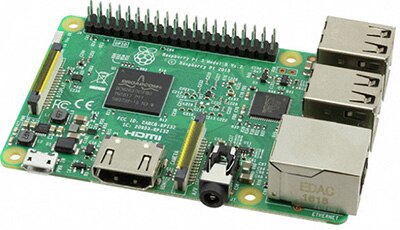 (Image source: Raspberry Pi Foundation)
You have had your Raspberry Pi for a little while now. Things are going pretty well. You have written some code, and now your Pi is doing something awesome. You want to add some new functionality that you just saw on the forums, or you saw a new project you wanted to try. The problem is that your Raspberry Pi is on an old distro of your current version, and you don’t want to lose all the work you have on it. Well, you could back up your work and download the latest image and redo everything; or you can just update your Pi with three simple commands. The whole process takes a few minutes and most of that is waiting on the update to finish. You can watch the process in this video:
Achtergrondinformatie over deze auteur

Sinds 2016 helpt Ben Roloff, geaggregeerde in toegepaste techniek bij DigiKey, klanten bij al hun microcontrollerbehoeften. Hij is geboren in 1991, een tijdperk toen internet in huis nog volslagen onbekend was. Langzaam begon internet zijn intrede te doen terwijl hij school liep. In zekere zin is Ben met het internet opgegroeid. Zijn interesse in computers zette hem ertoe aan om een opleiding computertechniek te volgen. Hij behaalde zijn wetenschappelijk bachelordiploma in computertechniek bij de South Dakota School of Mines and Technology.

Have questions or comments? Continue the conversation on TechForum, DigiKey's online community and technical resource.
Visit TechForumMeer blogs van deze auteur